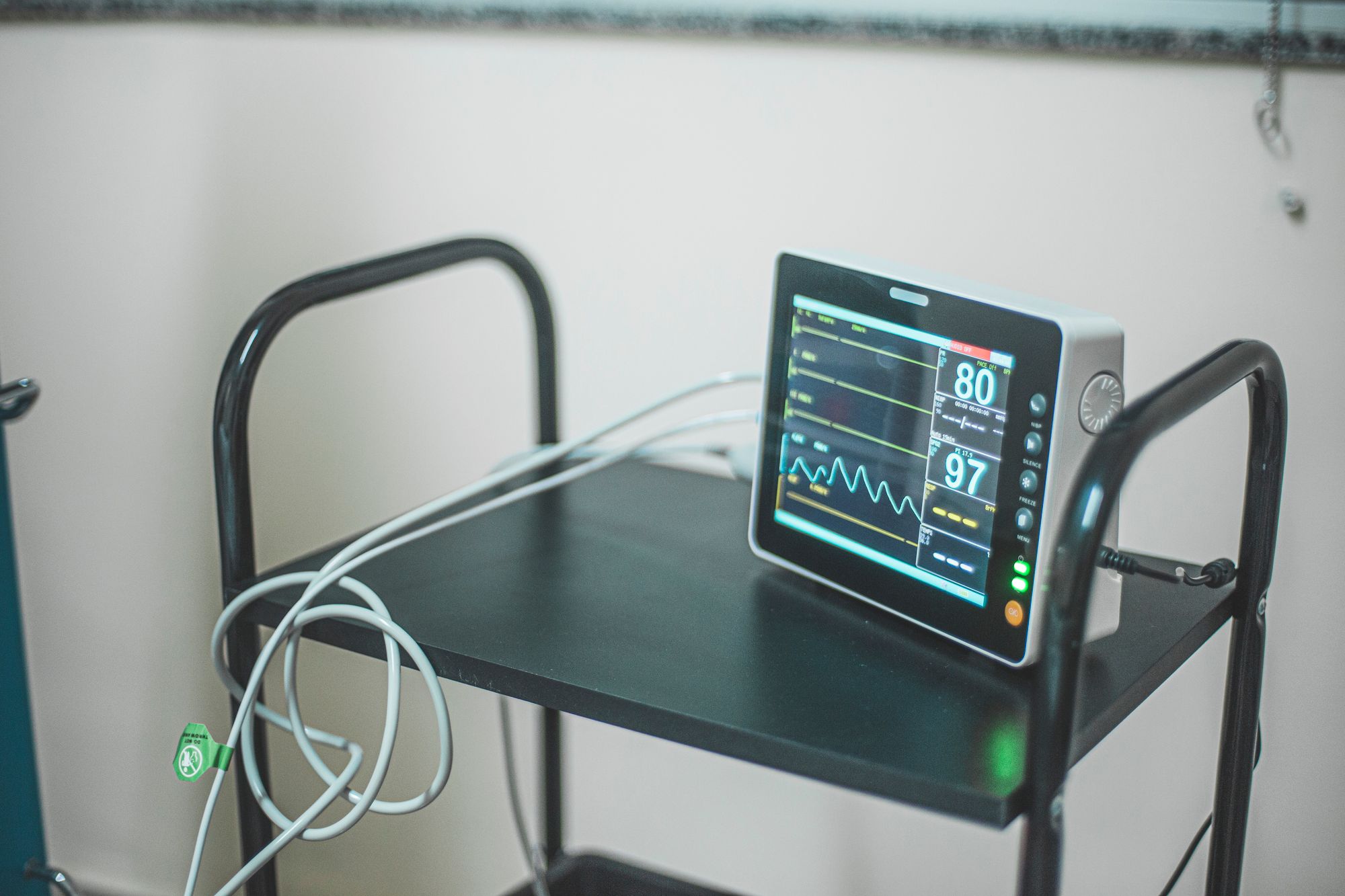
Walk through almost any practice and you’ll see it: a medical assistant reads a blood pressure off the vitals monitor, then turns to the computer and types it into the chart. An EKG prints out, gets scanned, and is attached as a flat image. A spirometry result is transcribed by hand. Each of these tiny manual steps seems trivial, but they add up to real wasted time, real transcription errors, and clinical data trapped as pictures instead of usable numbers. Medical device integration, connecting your in-office equipment directly to the EHR so readings flow in automatically, eliminates that friction. It’s an unglamorous piece of infrastructure, but it quietly improves accuracy, saves staff time, and makes your clinical data actually usable.
This guide covers what device integration is, why it matters, and how to approach it.
What device integration means
Device integration connects the equipment in your exam rooms and office to your EHR so their output lands in the patient’s chart directly, as structured, discrete data, rather than being read and retyped. Common candidates include:
- Vitals monitors, blood pressure, pulse, temperature, oxygen saturation, weight.
- EKG/ECG machines, the tracing and interpretation into the chart, not a scanned printout.
- Spirometry / PFT devices.
- Point-of-care testing devices, tying into your POCT/CLIA workflow.
- Audiometers, retinal cameras, and other specialty equipment, depending on your practice.
The common thread: data the practice generates in-house that should populate the chart automatically.

How this differs from other data flows
It’s worth placing device integration next to its cousins, because practices conflate them:
- Lab integration brings in results from outside reference labs.
- Wearables and patient-generated data brings in data patients collect between visits .
- Device integration brings in data from your own in-office equipment during the visit .
All three get clinical data into the chart, but device integration is specifically about the equipment your staff operate in the building, and it’s the one most often still done by hand.
Why it’s worth doing
- Accuracy. Manual transcription introduces errors, a transposed blood pressure, a mistyped weight. Direct capture removes that failure mode, which matters because these numbers drive decisions.
- Time savings. Every reading that flows in automatically is a small block of staff time returned, multiplied across every patient, every day.
- Usable, trendable data. A device-captured vital is discrete data you can trend, chart, and feed to decision support, unlike a scanned EKG image that just sits there.
- Better documentation and coding. Structured device data supports cleaner notes and accurate coding, and ensures billable in-office procedures are captured.
- Cleaner workflow. Staff focus on the patient instead of playing human data-entry bridge between a machine and a keyboard.

Approaching device integration practically
Inventory your devices and priorities
List the equipment you use most and where manual entry hurts most. Vitals are usually the highest-volume, highest-payoff starting point.
Check compatibility
Integration depends on the device supporting a connection (often via standards like HL7 or a middleware layer) and your EHR supporting it. Confirm both before assuming a device can connect.
Consider middleware where needed
A mix of older and newer devices sometimes needs a connectivity layer to bridge them to the EHR. It’s a common and solvable part of device integration.
Start high-volume, expand from there
Begin with the devices that touch the most patients (vitals), prove the workflow, then extend to EKG, spirometry, and specialty equipment.
Validate the data flow
Once connected, confirm readings land accurately in the right fields and chart. Integration you don’t validate is integration you can’t trust.
The bigger picture
Device integration is one piece of a broader goal: a chart that fills itself with accurate data from every legitimate source, your equipment, outside labs, patient devices, and other providers, so clinicians spend their time on judgment and care rather than data entry. Each source you connect removes a manual step and makes the record more complete and more usable. It’s infrastructure work, but it compounds: every integrated device makes the whole system a little more automatic and a little more accurate.
How an EHR with AI built in helps
An EHR with AI built in built for connectivity treats device integration as part of a unified data strategy rather than a series of one-off hacks. In-office device readings, outside lab results, and patient-generated data all flow into one structured record, where they can be trended, surfaced to the clinician, and used by AI to flag what matters.
Combined with ambient documentation capturing the visit narrative, the result is a chart that populates itself, vitals and device data from the equipment, the story from the conversation, freeing staff from transcription entirely. Confirm which specific in-office devices and integration methods your platform supports before planning a rollout, since device compatibility varies.
| Device | What should land in the chart |
|---|---|
| Vitals monitors | Blood pressure, pulse, temperature, oxygen saturation, weight — as discrete values |
| EKG / ECG machines | The tracing and the interpretation, not a scanned printout |
| Spirometry / PFT devices | Structured results rather than a flat image |
| Point-of-care testing devices | Results tied into the POCT and CLIA workflow |
| Audiometers, retinal cameras | Specialty equipment output, depending on the practice |
| The common thread | Data the practice generates in-house that should populate the chart automatically |
Frequently asked questions
What is medical device integration?
It’s connecting your in-office equipment, vitals monitors, EKG machines, spirometry and point-of-care devices, and specialty equipment, directly to your EHR so their readings flow into the patient’s chart automatically as structured data, rather than being read and manually typed in. This improves accuracy, saves staff time, and turns readings into usable, trendable data instead of scanned images.
How is device integration different from lab or wearable integration?
Lab integration brings in results from outside reference labs; wearable/patient-generated-data integration brings in data patients collect between visits; device integration brings in data from your own in-office equipment during the visit. All three populate the chart, but device integration specifically targets the equipment your staff operate in the building, the flow most often still done by manual entry.
Which devices should a practice integrate first?
Start with the highest-volume, highest-payoff devices, usually vitals monitors, since they touch nearly every patient and manual entry there is both frequent and error-prone. Prove the workflow, then expand to EKG, spirometry, point-of-care testing, and any specialty equipment. Check device and EHR compatibility first (often via HL7 or a middleware layer), and validate that data lands accurately before relying on it.
Ready to see it on your own workflow?
Let your equipment fill the chart. MedTec’s AI-enabled platform integrates in-office device data into one structured record. Call 1-888-674-5334.